
Geometry Dash Lite APK Download for Android
Description
Geometry Dash Lite Game Overview
Geometry Dash Lite is a rhythm-based platform game developed by RobTop Games. It challenges players to guide a geometric character through dangerous obstacles while following the rhythm of the music.
The game looks simple, but completing its levels takes timing, focus, and practice. Players must jump over spikes, avoid obstacles, and reach the end of each level without crashing.
Geometry Dash Lite offers an exciting experience for Android players who enjoy challenging arcade games. Its colorful graphics, energetic music, and fast-paced gameplay make every level an engaging challenge.
In this guide, you can explore Geometry Dash Lite’s features, gameplay, available levels, Android requirements, and installation information.
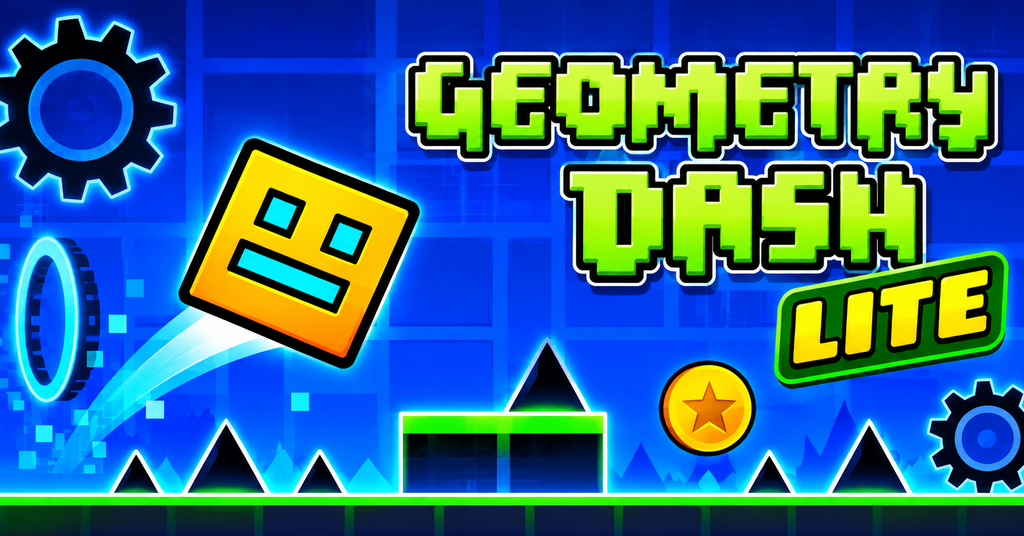
What Is Geometry Dash Lite?
Geometry Dash Lite is a free arcade platform game where players control a small geometric character through challenging levels. The main goal is to reach the finish line while avoiding spikes, blocks, and other obstacles.
The game uses one-touch controls, so players can jump with a simple tap. However, each level requires good timing and quick reactions. Obstacles appear in sync with the background music, making every movement feel connected to the rhythm.
Developed by RobTop Games, Geometry Dash Lite offers a selection of challenging levels for players who enjoy fast-paced platform games. It also includes practice mode, allowing players to learn difficult sections before trying to complete a level in normal mode.
Players can unlock different icons and colors as they progress. This adds a personal touch to the game while keeping the main focus on timing, skill, and level completion.
Geometry Dash Lite Features
Geometry Dash Lite includes several features that make its gameplay fun and challenging. Each feature adds something different to the experience, from rhythm-based movement to character customization.
1. Rhythm-Based Gameplay
The gameplay follows energetic background music. Players must time their jumps and movements to avoid obstacles. The music helps create a rhythm that makes each level more engaging.
2. Challenging Levels
Each level introduces different obstacles and patterns. Players must avoid spikes, blocks, and other hazards while moving toward the finish line. As the game progresses, the challenges become harder.
3. Practice Mode
Practice Mode helps players learn difficult parts of a level. It allows them to place checkpoints and practice sections without restarting the entire level after every mistake.
4. Character Customization
Players can unlock different icons and colors to change the appearance of their geometric character. These customization options add a personal touch to the game.
5. Different Gameplay Forms
The game includes different movement styles, such as cube jumping and rocket flying. Some sections also change gravity, creating new challenges that require quick reactions.
6. Colorful Graphics and Effects
Geometry Dash Lite uses bright colors, geometric designs, and visual effects. The changing backgrounds and obstacle patterns make each level visually interesting.
7. Simple One-Touch Controls
The controls are easy to understand. Players tap the screen to jump or control their character during certain sections. However, mastering the timing takes practice and patience.
Geometry Dash Lite Gameplay and Game Modes
Geometry Dash Lite focuses on timing, movement, and quick reactions. Players control a geometric character that moves through levels filled with spikes, platforms, and other obstacles.
The main challenge is to reach the end of each level without crashing. Every level has its own music, obstacle patterns, and difficulty. Players need to pay attention to the rhythm and react at the right moment.
Cube Gameplay
The cube is the main character in Geometry Dash Lite. Players tap the screen to make it jump over spikes, gaps, and other obstacles. Good timing is important because even a small mistake can end a run.
Ship Gameplay
Some sections allow players to control a flying ship. Instead of jumping, players tap and hold to move upward and release to move downward. This requires careful control to avoid hitting the surrounding obstacles.
Other Movement Sections
Different gameplay sections introduce changes in movement and gravity. These sections keep the experience varied and require players to adjust their timing as they move through a level.
Practice Mode Gameplay
Practice Mode gives players a way to learn difficult sections. Checkpoints help them retry specific parts without starting the entire level again. It is useful for understanding obstacle patterns and improving performance.
Level Progression
Players can begin with easier challenges and gradually attempt more difficult levels. Completing a level requires patience, repeated practice, and accurate timing. Each successful attempt helps players become more familiar with the game’s patterns.
Geometry Dash Lite Graphics, Music and Sound Effects
Geometry Dash Lite uses colorful graphics and fast visual effects to create an exciting arcade experience. Its geometric art style gives the game a unique look while keeping the action clear and easy to follow.
Colorful Visual Design
The game features bright backgrounds, geometric shapes, and colorful environments. Each level uses different visual patterns to make the gameplay feel fresh. Moving objects and changing colors also help create a lively atmosphere.
Music and Rhythm
Music plays an important role in Geometry Dash Lite. The levels use energetic soundtracks that match the movement and timing of the obstacles. Players can use the rhythm as a guide while jumping and avoiding hazards.
Sound Effects
Sound effects provide feedback during gameplay. They help make jumps, crashes, and other actions feel more responsive. Together with the background music, these sounds add to the overall arcade experience.
Visual Effects During Gameplay
The game uses animations, transitions, and changing backgrounds to keep players engaged. These effects work with the music and obstacle patterns to create a more immersive experience.
Geometry Dash Lite Android Requirements
Before installing Geometry Dash Lite, make sure your Android device is compatible with the game. The game is designed for mobile devices, but performance can vary depending on the device’s hardware and software.
Android Compatibility
Geometry Dash Lite is available for compatible Android devices through Google Play. Check the Play Store listing to confirm whether your device supports the current version.
Storage Space
Make sure your device has enough free storage to download and install the game. Keeping some additional space available can also help your device run smoothly.
Internet Connection
An internet connection is required to download the game and receive available updates. Once installed, many gameplay features can be enjoyed offline.
Device Performance
For a smoother experience, close unnecessary background apps and keep your Android software updated. Devices with limited memory or older hardware may experience performance issues.
How to Download and Install Geometry Dash Lite on Android
Installing Geometry Dash Lite on an Android device is simple. Follow these steps to get the game from its official source.
Step 1: Open Google Play Store
Open the Google Play Store on your Android phone. Search for Geometry Dash Lite by RobTop Games.
Step 2: Check the Game Details
Open the official game listing. Check the developer name, app details, screenshots, and device compatibility before downloading.
Step 3: Download the Game
Tap the Install button to download Geometry Dash Lite. Wait for the download and installation process to finish.
Step 4: Open the Game
Once installed, tap Open to launch the game. You can start playing and explore the available levels.
Step 5: Keep the Game Updated
Check Google Play Store for available updates. Installing official updates can provide improvements, bug fixes, and compatibility changes.
Is It Safe to Download Geometry Dash Lite?
The safest option is to download the original game from its official Google Play listing. Avoid unknown APK websites and modified files because they may contain harmful software or unwanted changes.
Geometry Dash Lite vs Geometry Dash Full Version
Geometry Dash Lite and Geometry Dash Full Version offer similar rhythm-based platform gameplay. However, they differ in the amount of content and features available to players.
Geometry Dash Lite is a free version that lets players experience the basic gameplay. The Full Version is a paid game with more levels, additional features, and greater customization options.
Main Differences
| Feature | Geometry Dash Lite | Full Version |
|---|---|---|
| Price | Free | Paid |
| Advertisements | Yes | No |
| Main Gameplay | Available | Available |
| Level Selection | Limited | More levels |
| Level Editor | Not included | Available |
| Custom Levels | Limited features | Supported |
| Customization | Available | More options |
| Game Experience | Basic | Expanded |
Which Version Should You Choose?
Geometry Dash Lite is a good choice for players who want to try the game without paying. It offers challenging gameplay and lets beginners understand the basic mechanics.
The Full Version is better for players who want more levels, access to the level editor, and additional content. It provides a more complete Geometry Dash experience.
Both versions offer the same core style of rhythm-based platform gameplay. Your choice depends on your budget and how much content you want to explore.
Frequently Asked Questions
1. Is Geometry Dash Lite free to download?
Yes, Geometry Dash Lite is free to download from the Google Play Store. The game includes advertisements and offers a selection of levels for players to enjoy.
2. Can I play Geometry Dash Lite offline?
Yes, the core gameplay can be enjoyed offline after installation. However, internet access may be needed for certain online features and updates.
3. Who developed Geometry Dash Lite?
Geometry Dash Lite was developed by RobTop Games, the studio behind the Geometry Dash game series.
4. What is the difference between Geometry Dash Lite and the Full Version?
Geometry Dash Lite is a free version with a limited selection of content. The Full Version is paid and offers more levels, additional features, and a level editor.
5. Is Geometry Dash Lite suitable for beginners?
Yes, beginners can start with Geometry Dash Lite to learn the basic controls and gameplay. The early experience helps players understand timing, jumping, and obstacle patterns.
6. Does Geometry Dash Lite have a Practice Mode?
Yes, Practice Mode allows players to place checkpoints and learn difficult sections of a level without restarting from the beginning after every mistake.
7. Can I install Geometry Dash Lite on an Android phone?
Yes, Geometry Dash Lite is available for compatible Android devices. Visit its official Google Play listing to check device compatibility and install the game.
8. Is Geometry Dash Lite safe to download?
Downloading the original game from the official Google Play Store is the recommended option. Avoid unknown or modified APK files because they may contain securi